How to Use a DSLR as a Webcam
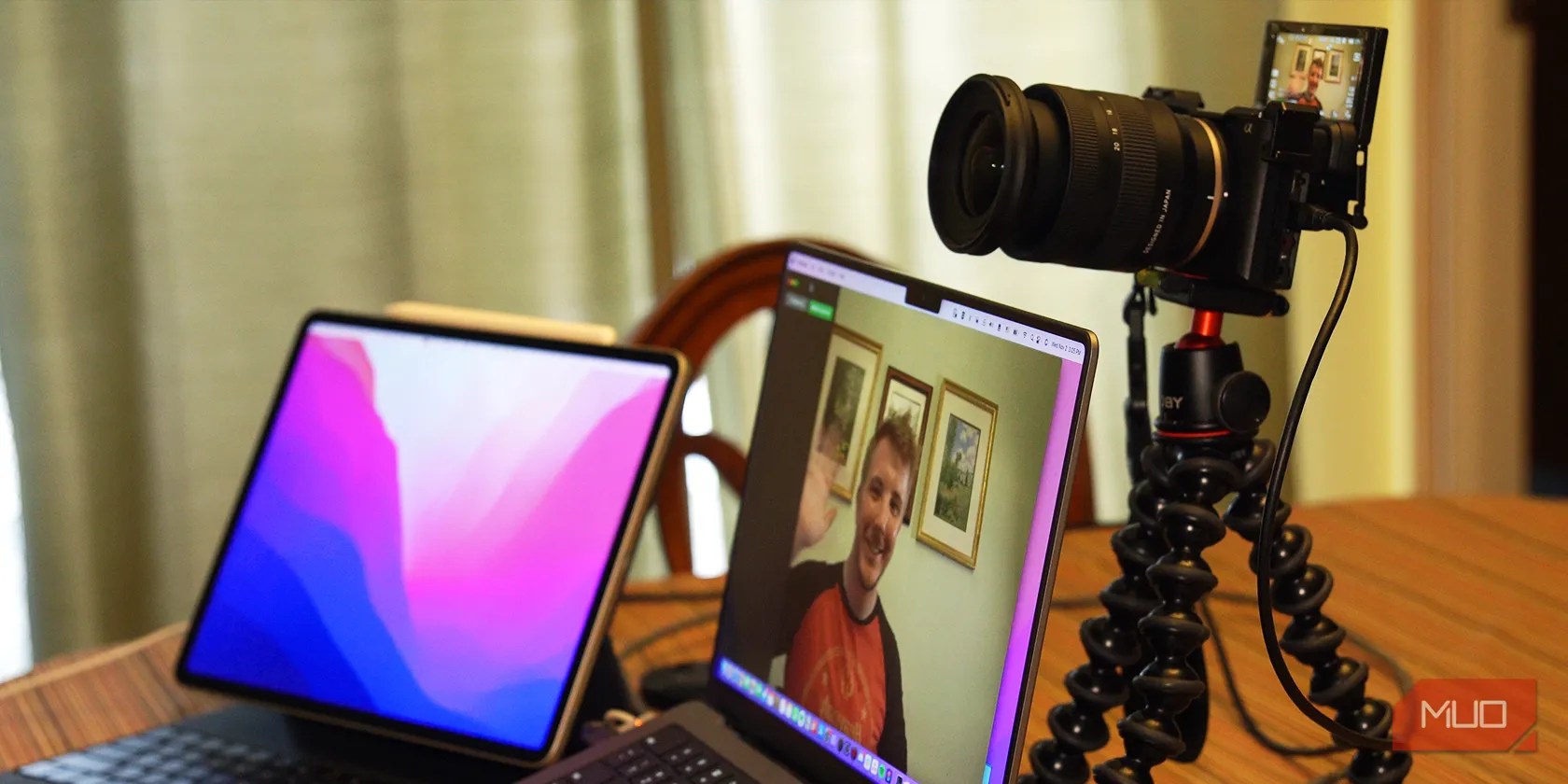
Many people have a DSLR camera lying around in their homes while using low-quality, built-in webcams for video calls. That camera has the potential to gain additional function as a superb webcam to level up your video quality.
Whether looking your best in conference calls or while live-streaming, here’s how to use your DSLR as a webcam.

Method 1: Set Up Your DSLR as a Webcam via USB
The simplest and most convenient way to set up your DSLR as a webcam is via a USB connection, but few cameras support this option.
How to Set Up a USB Connection
Check your camera manufacturer’s website to determine if it’s possible to even use this option, as well as for which settings to adjust in your camera to do so.
If your camera supports this option, simply adjust the required settings, install any necessary software, and connect your camera to your computer via USB.
The Benefits of Using USB
First, you don’t need any additional hardware other than a micro USB or USB-C cable. Additionally, most USB webcam configurations also allow for simultaneous charging, which simplifies your setup—just make sure your USB cable supports data transfer too.
Method 2: Turn Your DSLR Into a Webcam With a Capture Card
Any camera with some form of HDMI out works with a capture card, which is a device that converts a video signal such as HDMI to a data standard such as USB. See our in-depth explainer ofhow a capture card worksfor more.
How to Set Up a Capture Card With Your DSLR
To use a capture card with your camera, first ensure the camera has clean HDMI out, which means no text or interface on the HDMI output. Check your camera’s manual for the exact settings, but below is an example demonstration with the Sony a6600.
HitMenu,then go to theSetupsection. On the third page, go toHDMI Settings.

SetHDMI Info. DisplaytoOff.
Next, set the camera to video or movie mode, and ensure you have the correct HDMI cable. We have a full-size HDMI to micro HDMI cable for the Sony a6600.

Last, plug the HDMI cable into the camera and capture card, and connect the capture card to your computer via USB.
Most USB capture cards are UVC, or USB video device class, meaning in most cases, your capture card is plug-and-play and does not require additional software or drivers. However, still consider checking the capture card manufacturer’s site for additional setup instructions or features that may require extra installation.

The Benefits of Using a Capture Card
First, unlike USB, capture cards allow for no loss in video quality. Many cameras are limited by USB data bandwidth, such as the Sony ZV-1, which caps at 720p via USB but can output its full 4K30 via a capture card.
Capture cards also allow for more compatibility—many cameras cannot output video via USB but can via HDMI.
The Best Capture Card Options
For any capture card you consider, ensure it meets the video specs of the camera you plan to use. If you plan to use a 4K30 camera as a webcam, ensure the capture card supports 4K30 video inputs.
The most reliable capture card vendors are Elgato and AVerMedia.Elgato’s CamLink 4Kand AVerMedia’sLive Streamer CAP 4Kare the two best, small, reliable options for most people at around $100 each.
There are numerous affordable yet unreliable options in the $10-30 range on Amazon, but for their lack of customer support and poor reliability, explore them at your own risk.
How to Use Your Camera as a Webcam in Applications
If connecting your camera via USB, you should see the camera’s name as a video capture or camera source in applications. If using a properly set up capture card, you should see the capture card’s name.
Below is where to check in Zoom, but you can usethis setup in FaceTime on a Macor in any application that utilizes your webcam.
Additionally, if your camera has any camera settings related to heat sensitivity, consider disabling them to prevent premature shutdown—most cameras will not be damaged due to heat indoors anyway.
With the Sony a6600, clickMenu, go to theSetupsection, and on page two, setAuto Power OFF Temp.toHigh.
If you’re unsure which lens is right for this setup,start with a wide-angle lens.
The only major drawback to this setup is that cameras are simply less convenient to set up on a desk than webcams, as you can’t mount your camera on your monitor like a webcam. You may need a small tripod, such as aJoby GorillaPodto position it properly.
Why You Should Use Your Camera as a Webcam
This setup may seem cumbersome or unnecessary, but there are a few stark benefits.
First, a DSLR will completely outshine nearly any webcam in terms of picture quality thanks to its larger sensor. To compare, below is a 4K wide-angle webcam, the AVerMedia PW515:
And here is the Sony a6600 with an 11mm f/2.8 lens at 4K:
Additionally, if you already have a DSLR camera, it is more affordable to buy a $100 capture card for your camera than a $300 high-end webcam.
Breathe Life Into Your Gear
This guide to using your DSLR as a webcam is useful for creators aiming to improve their webcam quality, but it’s most impactful for tech lovers who accumulate gear that might have lost utility. This is one way to make the best use of the gear you already have!
Level up your work-from-home setup with a webcam that has all the features you need for maximized productivity.
Quality apps that don’t cost anything.
Your iPhone forgets what you copy, but this shortcut makes it remember everything.
You don’t need to fork out for expensive hardware to run an AI on your PC.
Free AI tools are legitimately powerful; you just need to know how to stack them.
Windows is great, but adding this makes it unstoppable.
