Linear vs. Tactile vs. Clicky Switches: What’s the Difference, and What Should You Choose?
Whether you use your computer for work, play, or both, it’s wise to have a great keyboard to use it with. After all, a keyboard is one of the primary ways you interact with your computer, and you’ll use it every single day.
Now, many people swear by mechanical keyboards, especially with how it improves their typing experience. If you want to join the bandwagon, you’ll see three main switch types: linear, tactile, and clicky.

So, what’s the difference between these three switches, and which should you get?
What’s a Mechanical Keyboard Switch?
If you’re new to mechanical keyboards, you might not know that you may customize many enthusiast keyboards. Changing its keycaps is the easiest way to personalize a mechanical keyboard. There are so many options available you need to knowhow to pick custom keycapsbefore spending money on one.
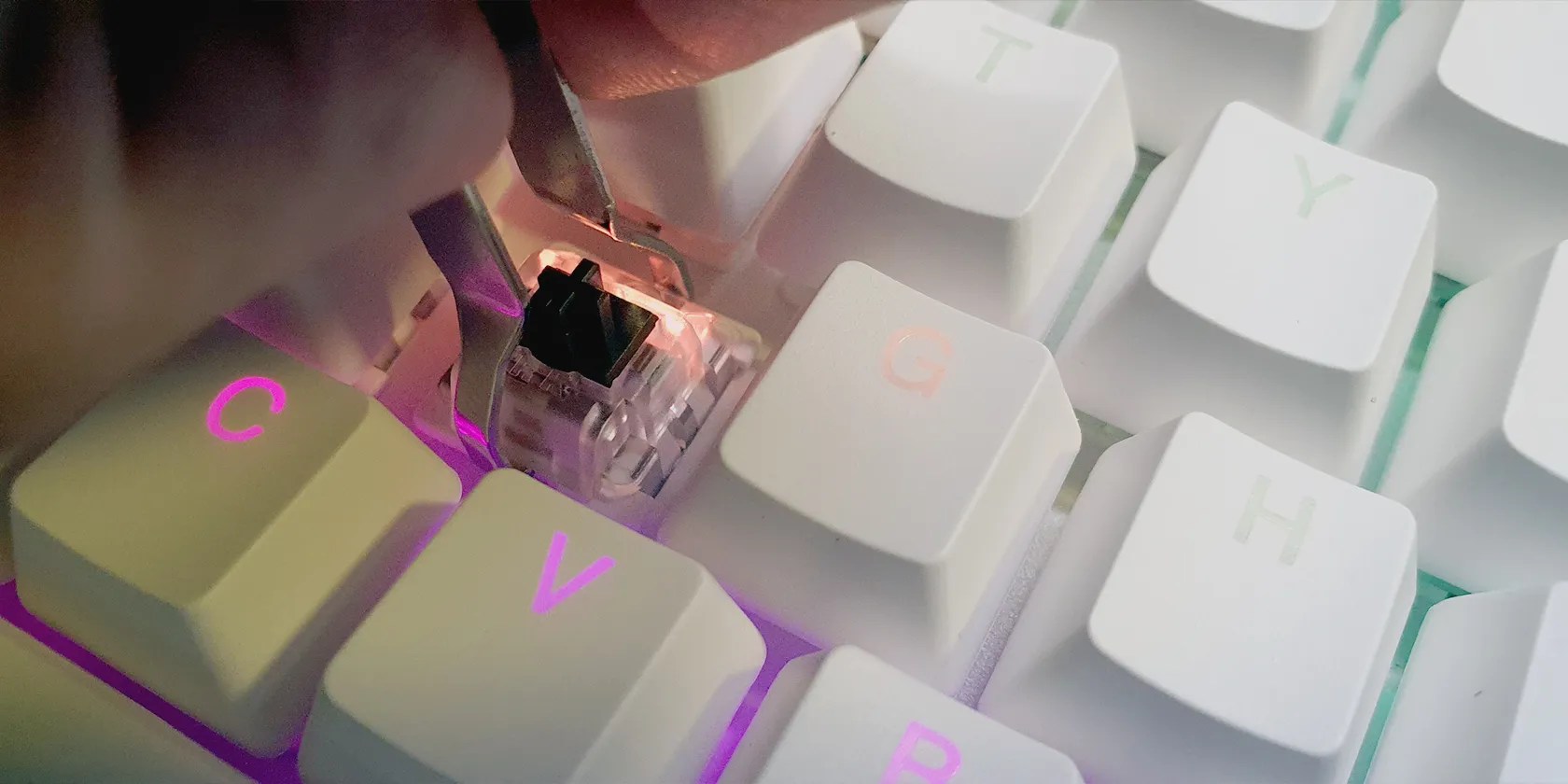
However, the more significant way of improving the feel of your keyboard to your liking is by replacing its switches. A mechanical keyboard switch is the mechanism under a keycap that activates the switch to register your key press.
Membrane keyboards use rubber domes and plastic membranes to record your inputs. These keyboards offer less feedback and may even feel mushy at times, especially for budget models.
On the other hand, a mechanical switch has a stem that pushes down on a contact leaf to register your key press. It also has a spring to return the key to its original position. This makes mechanical keyboards more complicated than membrane keyboards, but they also provide greater accuracy, faster response, and good feedback each time you press a button.

The Three Most Popular Switch Types
There are many different switch types available in the market today. However, they generally fall under three general categories: linear, tactile, and clicky. So, let’s differentiate these switches to help you pick the right one for your first custom mechanical keyboard.
Clicky
If you’re looking for a switch that announces to the world that you have a mechanical keyboard, then you should go for the clicky switch. This switch type makes a distinct “click” sound when you press it, hence the name.
When you press down on a clicky switch, you’ll feel a bit of resistance before the key goes down. The switch mechanism will then slide down, and when it hits the bottom of the switch assembly, it will make that clicking sound.

Some popular clicky switches include Cherry MX Blues, Gateron Blues, Kailh Whites, and Outemu Blues.
When you want to feel the actuation of each key you press but don’t want to hear the constant rattling of your keyboard, then you want the tactile switch. Although tactile switches don’t make a loud click, it still has some resistance before actuation, allowing you to feel it.

The switch mechanism still offers some resistance when you press it. However, when the key actuates, the switch mechanism will go down as you press it, avoiding the loud clicking sound of clicky switches.
Examples of tactile switches include Boba U4Ts, Glorious Pandas, Durock T1s, and Halo Clears.
Linear switches are called that way because you do not feel any actuation force when you press them. These offer a smooth and consistent response; you’ll only feel the switch when it has bottomed out on your keyboard.
A linear switch slides all the way down without any resistance. And because it offers no tactility, the switch would already have actuated even before you feel any resistance.
The Akko CS Silver, NovelKeys Cream, C3 Tangerine, and Alpaca V2 are some examples of linear switches.
Linear vs. Tactile vs. Clicky: Which Switch Type Should You Use?
Now that you know the three basic switch types, which should you get? While it might be tempting to go for any popular switch, like the Cherry MX Reds or Blues, you should consider a few things first.
Based on Your Sound Preference
If you love hearing each key press you make, and you’re not disturbing anyone, then, by all means, go for the clicky switches. These give satisfying feedback every time you do anything on your keyboard. However, you should know that the sound it makes can get old really fast, especially if you’re using the keyboard for work.
Furthermore, if you’re planning to get a portable, wireless keyboard to use in public spaces or share your workspace, the loud racket clickies make will annoy those around you. If that’s the case, you should settle for tactile or linear switches.
But if you want a quiet keyboard, you can search for silent mechanical switches. While most of these are linear switches, the ZealPC Zilent V2 is a tactile switch with a silent sound profile.
Based on How You Want It to Feel
You can also choose switches based on how you want your typing experience to feel. A good starting point is the tactile switch. These switches still give you feedback for each press you make without making the loud noises of clickies.
Because of its great feel and quieter sound, tactile switches make a great compromise between clicky and linear switches. That makes it suitable for typing, gaming, and general everyday use.
But if you want smooth, consistent key presses, you’ll want to go for linears. Since you do not have to wait for actuation to register your input, the linear switch is generally faster. However, since you do not feel it when it activates, you might press too hard on it, especially if you’re used to tactile or clicky switches.
This could cause your fingers to hurt from typing too hard. It could even lead to frequent mistypes as you adjust to its feel. But as you get used to it, the smooth feeling makes linear keys a popular choice among typists and professional gamers.
If you’re a heavy typer, you don’t have to settle for clickies. Some mechanical switch manufacturers offer clickies, tactiles, and even linears which retain their actuation and sound profile but require a greater force to press.
But if you still can’t decide what switch type to pick, you check out thebest mechanical switch types for gaming, typing, and office work.
Mixing and Matching Mechanical Switches
If you’re customizing your keyboard, you don’t need to settle for a single switch type. For example, if you type for work but want a loud keyboard when playing FPS games, you can put clickies on your WASD keys, then have linears on the rest of your keyboard.
Alternatively, you can use linear switches on your QWERTY keys and clickies for your NumPad keys if you want to hear the rattle of clicky switches occasionally. With hot-swappable mechanical keyboards, you can use the switch type you please and even change them later if you want a new feel.
And if you’re a bit adventurous, you can evenbuild a custom mechanical keyboard from the ground upyourself. This will be an adventure and require a bit of elbow grease, but nothing beats a keyboard that you can say is completely yours.
Enhance and Customize How It Feels to Use Your Computer
Mechanical keyboards allow you to customize the experience of using your computer. It also covers almost all budget ranges—from the cheapest generic models that cost less than $25 to luxury models that go for over $400 apiece.
By choosing the right switch type for you, you can ensure that your keyboard will always fit your taste, no matter how much you spend. And if you want to customize your switches even further, why not try lubing them to give your current switches a different feel?
Lubing your mechanical keyboard’s switches can make it sound better. We show you two ways to do it: traditional and easy.
Taming data is easier than it looks.
Don’t let someone else take over your phone number.
Don’t let aging hardware force you into buying expensive upgrades.
These films will leave you questioning humanity, but also wanting more.
Lose your laptop without this feature, and you’ll wish you had turned it on.
