Samsung One UI explained: Everything to know about the Android skin
One UI is Samsung’s user interface for its Android phones, smartwatches, and Galaxy Book laptops. Its most common appearance is as the launcher for Samsung Galaxy phones. If you’ve used a Galaxy phone running Android 9 or later, you’ve used One UI.
UnlikeGoogle’s Pixel devices, which run a near-stock version of Android, Samsung’s One UI launcher allows a greater degree of customization and multitasking options comparable to any of thebest Android launchers.

You’re usually not missing out on features either. One UI 6, for example, adds new features on top of Android 14 but doesn’t replace them.
We’ll look at the history of Samsung One UI and how it evolved to its current state, as well as look ahead to the future of One UI.

One UI 8 feels better after this
What is Samsung One UI?
One UI is a personalized launcher Samsung designed for its Galaxy phones and tablets. It offers more design options than Google’s stock Android version. You can change your device’s themes and app icons and rearrange your home or apps screen layout to your satisfaction.
One UI Home, located in your device’s battery usage menu, is the default launcher on Samsung Galaxy phones and tablets. It comes pre-installed on your phone and cannot be removed. It is responsible for customizing your device’s user interface, including wallpapers, themes, app icons, and widgets.
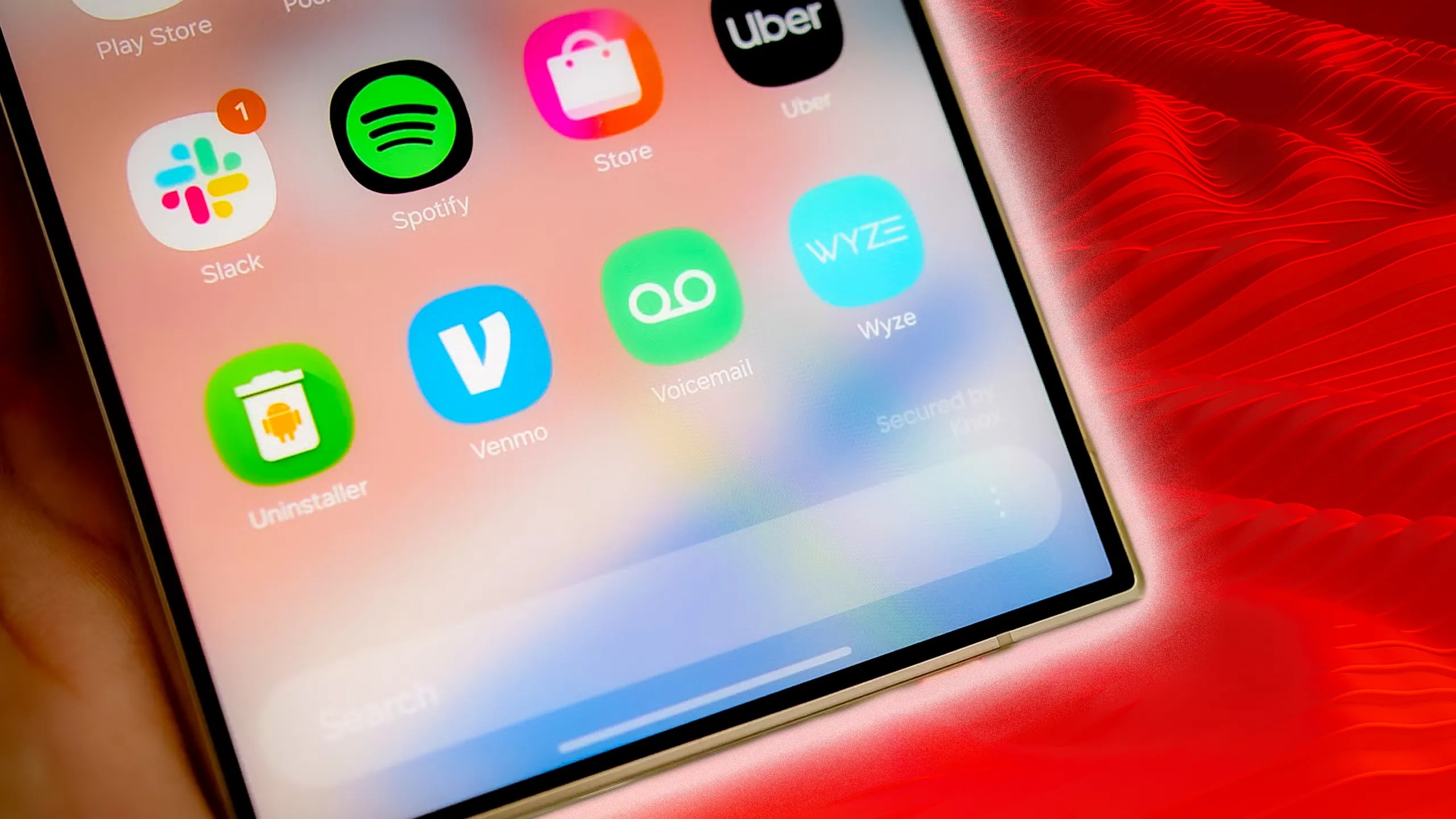
The launcher also makes it easier to navigate your phone, considering how large Samsung smartphones are. The UI shifts key details to the middle and bottom of the screen so that you can interact with them using one hand. This way, you don’t strain your fingers when scrolling or tapping.
Samsung also pre-installs its apps and services, such as Samsung Health, the Bixby virtual assistant, Phone, and Messages.

You may consider many of these apps as bloatware and wish to remove them permanently. Samsung doesn’t let you do that unless you root your device. The best you can do without compromising the device is todeactivate unnecessary apps.
Samsung’s update policy for One UI is also a strong selling point for its software. Samsung guarantees that eligible devices willreceive up to four major Android OSand One UI upgrades, while some premium devices (2024 flagships) will receive up toseven years of OS supportand security patches.

Your Galaxy devices will usually automatically prompt you to install the latest version of One UI. If you think you should be eligible for an update but haven’t received a notification, you cancheck for an update yourself.
The Samsung Galaxy Z Flip 7 is a compact, pocket-sized AI phone featuring the largest-ever 4.1-inch, edge-to-edge FlexWindow and the slimmest design in the series yet. It packs a flagship-level 50MP camera and the largest battery ever in a Galaxy Z Flip, delivering powerful performance and enhanced AI functionality directly from the cover screen.
How does One UI differ from stock Android and other major OEM skins?
One UI is Samsung’s custom interface built on the Android OS. Thecustom skindiffers from the stock Android version due to its extensive customization options, unique features, and an extra focus on usability for larger screens.
While the custom skin still shares the core foundation of Android OS, One UI offers a more visually distinct and feature-rich experience compared to other non-Samsung devices.
One UI is Samsung’s custom interface built on top of Android, and it is exclusive to Samsung Galaxy smartphones and tablets. You cannot install One UI on devices from other Android manufacturers.
A brief history of Samsung One UI
Samsung’s software has come a long way since the earlyTouchWiz and Samsung Experience days.
TouchWiz was colorful and was on Samsung devices before the company launched the first Galaxy S smartphone. It kept many of its pre-Android elements, and the company improved it with subsequent updates.
However, many users criticized TouchWiz for its cluttered design and slow performance.
Samsung overhauled the user interface with a more minimal approach. This move brought Samsung Experience. The software matched the launch of the Galaxy S8, with a taller display and no center button.
Although Samsung Experience’s design was more streamlined than TouchWiz, it still suffered from bloating and stuttering.
In December 2018, the company returned to the drawing board and developedOne UI. It was a departure from its predecessors, featuring a polished interface. With smartphones getting larger, the software paid attention to one-handed use, a design element Google recently introduced to the Pixel UI.
Since its debut, One UI has continued to evolve, with Samsung regularly making changes and adding better functionality. Like most software, One UI gets its share of bugs. Samsung listens to customers and is committed to refining its user experience. Here’s how its famous launcher has evolved since its release.
One UI 1.0
Major update
Notable features
One UI 1.1
N/A (came pre-installed)
One UI 1.5
August 2019
The first version of Samsung’s software skin appeared in December 2018 and overlaid on the Android 9 Pie Operating System (OS). The company updated the Galaxy S8, S9, Note 8, and Note 9 with it. Later, it was pre-installed as One UI 1.1. on the Galaxy S10 and A series, including the Z Fold.
The Samsung Galaxy Z Fold 7 is the thinnest and lightest in the series to date, integrating a powerful Snapdragon 8 Elite for Galaxy processor for enhanced AI capabilities and a 200MP pro-grade camera. Built for enhanced durability with an Armor FlexHinge and Gorilla Glass Ceramic 2, the device features a wider 6.5-inch cover screen and unfolds into an expansive 8.0-inch main display for immersive viewing and productivity.
Like Android 9, One UI brought several features that have become popular in the industry. For example, it came with Dark mode, refined Always-On Display, support for remapping the Bixby button, and gesture navigation.
Although One UI 1.1 was a minor software update, it optimized device cameras, performance, and fingerprint and facial recognition.
Subsequently, Samsung released One UI 1.5 and pre-installed it on the Galaxy Note 10. It provided Link to Windows support following the company’s partnership with Microsoft.
One UI 2.0
November 2019
One UI 2.1
February 2020
One UI 2.5
August 2020
Samsung launched the stable version of One UI 2.0 based on Android 10 on November 28, 2019. The software rolled out to the Galaxy Note 9, Note 10, S9, and S10 series. It also came pre-installed on the Galaxy S10 Lite and Note 10 Lite.
Incremental versions, such as One UI 2.1, launched with the S20 series, while version 2.5 came with the Galaxy Note 20, Z Fold 2, and S20 FE devices.
One UI 2.0 introduced enhanced Dark Mode, a built-in screen recorder, a Trash folder within the Files app, and Dynamic Lock screen, which changes your lock screen wallpaper every time you turn on your display.
One UI 2.1 took things further with Quick Share and additional camera modes. One UI 2.5 wasn’t particularly feature-packed but introduced DeX, Samsung’s tool for mirroring your device on a PC or compatible TV.
One UI 3.0
December 2020
One UI 3.1
February 2021
One UI 3.1.1
August 2021
The third major version of Samsung’s custom skin was based on Android 11, and it came out in December 2020. Galaxy S20 devices were the first to get it, with others following between January and August 2021.
Meanwhile, the Galaxy S21 came pre-installed with the updated One UI 3.1. The Galaxy Z Fold 3 and the Galaxy Z Flip 3 came with One UI 3.1.1.
One UI 3.0 introduced a translucent notification panel and Samsung Free, the company’s version of Google Discover. It delivered enhancements that improved the animations and transitions throughout the software and redesigned the home screen widgets.
One UI 3.1 had no notable UI changes but improved the camera touch auto-focus and auto-exposure control, among other camera-specific additions.
One UI 4.0
November 2021
One UI 4.1
February 2022
One UI 4.1.1
August 2022
One UI 4.0, based on Android 12, was released publicly in November 2021 and rolled out to the Galaxy S21 and several older devices between December 2021 and August 2022.
Like Android 10, One UI 4.0 focused on customization and privacy with improved haptic feedback, rounded widgets, and enhanced location features.
While it was pre-installed on theSamsung Galaxy S22, S22 Plus, S22 Ultra, and Galaxy Tab S8, One UI 4.1 introduced a redesigned palette picker, Night Mode portraits, and a smarter calendar. The calendar detects dates and times in messages so that you can add events quickly.
In addition, the company released a target-geared One UI 4.1.1 based onAndroid 12Lfor theGalaxy Z Fold 4, Z Flip 4, Tab S6, Tab S7, and Tab S8 series.
One UI 5.0
October 2022
One UI 5.1
February 2023
One UI 5.1.1
Samsung publicly released One UI 5 based onAndroid 13on October 24, 2022. The stable version of the software quickly arrived on the Galaxy S22,S22 Plus, andS22 Ultra.
One UI 5 came with deeper Material You integration, allowing for color palette changes that applied to all aspects of the UI.
There’s also a better theming engine with support for more colors, improved widget stacking, and the ability to add multiple users, including a guest profile, to your device (a feature Android has supported for ages).
There are a couple morerecent improvements in One UI 5that you may find interesting.
One UI 5.1 debuted on the Galaxy S22 and Z Fold 4 as updates and launched with theS23 seriesout of the box. Although it seems like an incremental update, One UI 5.1 has several tricks, including a smarter gallery, a new battery widget, and expert RAW integration, amongother current features.
Users call it the most “buttery smooth” version of Samsung’s skin.
One UI 6.0
October 2023
One UI 6.1
January 2024
One UI 6.1.1
One UI 6 is Samsung’s main launcher version in 2023-2024. The update is based on Android 14.
In August 2023, the company released a beta version for the Samsung Galaxy S23 series, followed by a stable build in late October.
The UI brought camera widgets to your home screen, something you couldn’t do before the update. You can add a specific camera mode, whether Pro, Video, or Night, and instantly create shots.
You can also switch between resolutions within the app with one tap. Flagships reaching 200MP may still require tapping twice. One tap displays your choices, and the second tap selects your preferred resolution.
The Quick settings layout has also changed, offering a simple arrangement for Wi-Fi, Bluetooth, and Airplane modes, among other toggles.
Your lock screen isn’t exempt from customization. you may now move the clock around. It also added fonts and designs.
Another cool feature is Auto blocker, which restricts third-party apps, images within messages, and malicious USB cables from commanding your device when connected.
One UI 6.1was the next major update that came with the Samsung Galaxy S24 series. The update was released in late January 2024, with a rollout to other devices beginning in late March, and was subsequently introduced to older flagships and mid-range devices in May 2024.
Samsung’s AI suite,Galaxy AI, was the prominent key feature highlighted in this update. It included features such as PDF Overlay Translation, Listening mode (in Interpreter), Suggested replies, Sketch to Image, Circle to Search, Sound Search, Portrait Studio, and Instant Slow-Mo, tools designed to enhance productivity using AI.
Learn more about Galaxy AI and how to use it on your Samsung Galaxy S24 phone
One UI 7.0
January 2025
One UI 7.0 is Samsung’s newest update to One UI. The update is based onAndroid 15and features a simplified home screen, redesigned widgets, and a new lock screen experience.
Within the design features, One UI 7 also introduced the Now Bar to display real-time updates (live notifications), along with added media controls and other information that you can set on your lock screen and Always On Display.
I didn’t think a pill on my lock screen would matter, but it does
In addition to the new design elements, One UI 7 leverages Galaxy AI for enhanced communication, creativity, and productivity through personalized briefings.
Other key features included in the One UI 7 update are a split notification and quick settings panel (swiping down on different areas of the screen will open the notifications and quick settings panel separately), a vertical app drawer, and expanded home screen folders.
Battery protection has also received an update. You can now select between 80%, 90%, and 95% as your maximum charging limit, compared to the previous setting of 85%.
One UI 7 came pre-installed with theGalaxy S25 serieswhen it was released in February. The update officially rolled out on April 7, 2025, to all supported Galaxy devices, followingsome delays.
Unfortunately, while rolling out the update, Samsung had topause it temporarilyto address a critical bug.
The delay was lifted on April 17, 2025, allowing the update to continue reaching the newest flagships, starting with the Galaxy S24 series, Galaxy Z Fold 6, and Z Flip 6. Older devices are expected toreceive this updateby the end of September.
Samsung’s latest phablet feels like a do-over
One UI 8.0
One UI 8 will be the next major update to One UI. It is expected to be released after July 2025, coinciding with the launch of the new Galaxy Z Fold 7 and Z Flip 7 phones.
Galaxy S25 series owners should also be among the first to receive it, and we expect that Samsung’s next flagship release (Galaxy S26 series) would also launch with it.
The update should include features like enhanced Now Bar and Now Brief functionality, along with QR code sharing for Auracast audio streams, an updated Reminder app, and a refreshed user interface.
Samsung launches a beta version of each One UI update before the final stable release. If you want to be among the first to try One UI 8, sign up for theOne UI beta programwith your Samsung account.
Use your Samsung phone to the fullest
Choosing your next Android phone involves considering factors like battery life, processing power, cameras, and software. The software you use has the most significant impact on your day-to-day smartphone experience.
If you use One UI, we recommend exploring itsmost impactful featuresto have the best experience with Samsung’s launcher.
We want to hear from you! Share your opinions in the thread below and remember to keep it respectful.
Your comment has not been saved
One UI is as much a skin of android as Redhat is a skin of Linux. Anyone that bothered to put in even a high-school level of research into the topic would have found this out. Samsung doesn’t just skin android they replace most of googles framework with their own.
Broader branding hints at wider paid-tier ambitions
The note-taking app I should have used all along
It helped me wind down before bed
I played the opening mission of The Outer Worlds 2 and really enjoyed what I experienced
Goodbye, text-only analysis
Boost Mobile sees changes, too
