The Best Laptop RAM in 2024
A quick RAM upgrade can breathe new life into your aging laptop, transforming it from a sluggish drag to a mighty powerhouse capable of tackling anything you throw at it. However, not all RAM modules work with laptops. From affordable DDR4 kits to cutting-edge DDR5 powerhouses, here is the best SODIMM (Small Outline Dual In-line Memory Module) RAM for laptops.
Best Laptop RAM Overall:Crucial DDR5-4800 SODIMM
If your laptop supports DDR5, theCrucial DDR5-4800 SODIMMis a cost-effective upgrade that offers excellent performance without compromising on speed. Featuring a 4800MT/s speed at CL40, it matches most gaming laptop RAM kits, delivering excellent performance for gaming and content creation tasks.
Available in single sticks or kits of 8GB, 16GB, and 32GB, you can easily find the perfect capacity for your needs. Additionally, you can expect to reach the maximum 4800MT/s speeds on almost all laptops with DDR5 support, offering exceptional value for the price.

Boasting 4800MT/s speeds with CL40 timings and a low 1.1V voltage, the Crucial DDR5-4800 SODIMM delivers incredible DDR5 performance without breaking the bank.
Best Budget Laptop RAM:TEAMGROUP Elite DDR4 Laptop Memory
Not all laptops are equipped for the cutting-edge performance of DDR5 memory. If your trusty companion is a few years old, a dependable DDR4 kit like theTEAMGROUP Elite DDR4 Laptop Memorycan give it a significant performance upgrade to power through demanding gaming and multitasking workloads.
This RAM boasts the fastest speed in the DDR4 realm, reaching 3200MT/s with tight CL22 timings, and it’s perfectly tailored for the laptop form factor with its SODIMM design. Additionally, its budget-friendly pricing lets you snag a higher capacity, like 32GB, without breaking the bank, so you can keep your aging machine running like new for years to come.

The TEAMGROUP Elite DDR4 Laptop Memory is a reasonably priced DDR4-3200 SODIMM RAM that’s perfect for upgrading older laptops.
Best Laptop RAM for Gaming:Crucial DDR5-5600 SODIMM
If your gaming laptop is frustratingly sluggish or can’t keep up with modern games, this DDR-5600 kit from Corsair could be a great, affordable way to transform it into a competitive gaming beast. Available in bundles of up to 96GB, this RAM packs the punch you need to conquer even the most demanding titles.
The cherry on top is that theCrucial DDR5-5600 SODIMMsupports bothIntel XMP 3.0andAMD EXPO, letting you squeeze every last drop of performance from your rig. It also automatically downclocks to 5200MT/s or 4800MT/s to ensure flawless performance on all DDR5-enabled laptops, regardless of their capabilities.

The Crucial DDR5-5600 SODIMM stands out as one of the best laptop RAM modules for gaming, boasting faster 5600MT/s speeds and compatibility with Intel XMP 3.0 and AMD EXPO.
Fastest Laptop RAM:Kingston FURY Impact DDR5 SODIMM
Pushing the limits of DDR5, theKingston FURY Impact SODIMMunlocks blistering overclocked speeds of 6400MT/s, packing a punch for even the most demanding tasks. Featuring tight CL38-40-40 timings for exceptional responsiveness, this powerful kit is available in a single 16GB stick or a dual-channel 32GB configuration, ready to handle the most intensive gaming and creative workloads.
Built by Kingston, an industry leader in memory and storage, and Intel XMP 3.0 certified for guaranteed stability, this RAM kit delivers smooth, worry-free performance every time. The only caveat is that your laptop must support Intel XMP 3.0, or the RAM will default to DDR5-4800 JEDEC speeds.

Capable of speeds up to 6400MT/s at a very respectable CAS latency of CL38, this Intel XMP 3.0 Certified kit is the fastest RAM you can buy for your laptop.
Best DDR5 Laptop RAM:G.SKILL Ripjaws DDR5 SO-DIMM
TheG.SKILL Ripjaws DDR5 SO-DIMMcomes in several configurations, but the 64GB bundle stands out as the perfect choice for power users, especially content creators and even hardcore gamers. Featuring a pair of dual-rank 32GB memory sticks, it delivers accelerated performance for tasks demanding ample bandwidth, like 3D rendering and multi-layered video editing.
Clocking in at 5600MT/s with modestly tight 40-40-40-89 timings and a low voltage of 1.10V, the Ripjaws offer a well-balanced blend of speed and stability. And like most high-end DDR5 SODIMM kits, it’s fully compatible with Intel XMP 3.0 and AMD EXPO, ready to unlock additional overclocking potential if you seek even higher performance.
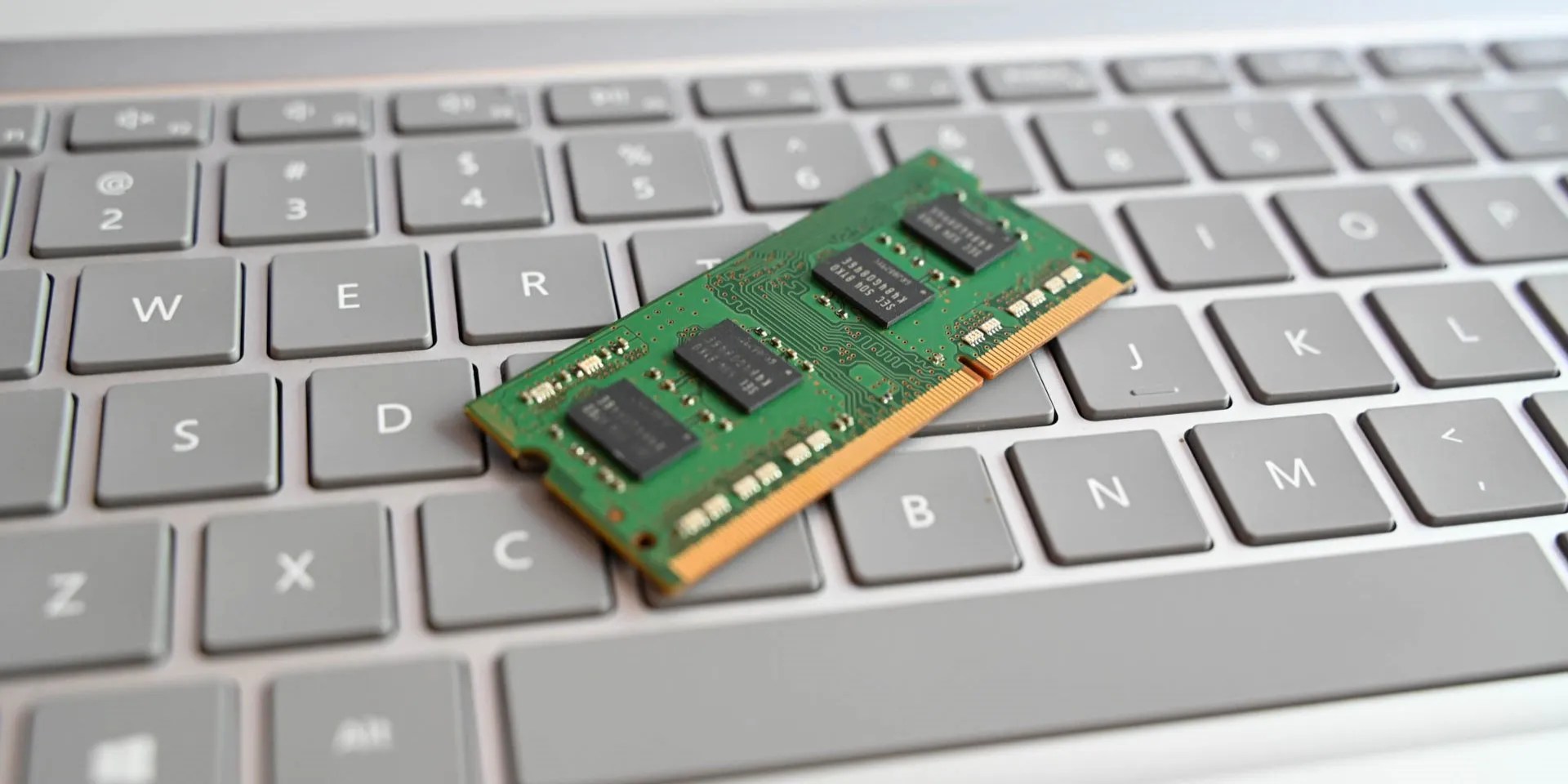
The G.SKILL Ripjaws DDR5 SO-DIMM checks all the boxes for high-performance RAM, including dual-rank design, high 64GB (2x32GB) capacity, and blazing 5600MT/s speeds with further overclocking headroom, making it perfect for power users and hardcore gamers.
Q: How do I know if I can install RAM on my laptop?
While most gaming and productivity laptops allow user RAM upgrades, some thin and light models might have the RAM soldered onto the motherboard. Always check your laptop’s manual or product page, or use online tools likeCrucial’s Advisor Tool, to confirm whether you can upgrade the RAM of your specific laptop model.
Q: Do I need a professional to insert RAM into my laptop, or can I do it myself?
Installing RAM on a laptop is a relatively straightforward process that most users can do themselves. If it’s your first time, we recommend following our detailed guide onhow to upgrade your laptop RAMto ensure a smooth and successful installation.
Q: How much RAM do I need for gaming?
For a mid-range gaming laptop, you will want a minimum of at least 8GB of RAM. But anywhere between 16 and 32GB of RAM is better, as this will offer a much smoother experience, both in and out of gaming.
Q: How much RAM do I need for coding?
Coding can be demanding on your laptop’s memory, especially when using large IDEs like Android Studio. For a smooth experience, we recommend a minimum of 16GB of RAM for most coding projects. If you work with complex projects or multiple programs simultaneously, 32GB offers a sweet spot for optimal performance and future-proofing.
You can’t call this offline, Notion.
The fix was buried in one tiny toggle.
Your phone is a better editor than you give it credit for.
Quality apps that don’t cost anything.
Obsidian finally feels complete.
You don’t need to fork out for expensive hardware to run an AI on your PC.
