The Top 6 Raspberry Pi 4 Projects You Can Start Today
The Raspberry Pi 4 Model B offered unprecedented performance for its tiny form factor back when it was launched in 2019. Despite the time that has passed, the same can be said today, and the Raspberry Pi 4 stands as one of the most competitive SBCs (single-board computers) on the market. But what kind of Raspberry Pi projects can you make with it? Let’s find out.
1. Raspberry Pi 4 Wi-Fi Router/NAS
People have never been more concerned about data privacy and security than they are in the modern world. The prospect of using off-the-shelf products to connect to the web can be daunting, and maybe people find that the router provided by their ISP doesn’t have all the features they want.
RaspAPis an excellent solution to problems like this. This free tool allows you to turn Debian-based devices, like a Raspberry Pi, into Wi-Fi routers packed with features. The high performance of the RPi 4 makes it ideal for an application like this, with plenty of headroom to avoid bottlenecks. Beyond using an RPi 4, the only requirement for this project is that you use a reliable SSD or hard drive for storage.

Unlike many off-the-shelf routers, RaspAP-based systems offer advanced NAS functionality, enabling you to create storage that you can access from anywhere on your home network. Thanks to the small size of the finished device, you can carry your Raspberry Pi 4 RaspAP router (as shown onITNEXT) wherever you go. You just need a power source.
2. Raspberry Pi 4 Solar-Powered Cryptocurrency Miner
Mining cryptocurrencies can be lucrative, but it has its drawbacks. Building a mining system that generates more money than it costs to run is extremely challenging, as most computers and ASICs consume a lot of electricity to do their job. But what if you could let the sun power your crypto-mining operation?
This is where the Raspberry Pi 4 solar-powered cryptocurrency miner project from Rob Lauer onHackster.iocomes in. It’s easy to power a Raspberry Pi 4 using solar energy, with plenty of USB solar panels available on the market. Alongside this, the RPi 4 has enough power on board to make it a capable mining machine.

Of course, though, we’re using “capable” as a relative term here. You can’t expect to make your living or a fortune with Raspberry Pi 4 mining, but if you already have some of the hardware, this can be a fun way to dabble with crypto without a significant investment.
3. Raspberry Pi 4 M8 Synth
One of the key strengths of SBCs like the Raspberry Pi 4 is their versatility. With the right know-how, it is possible to create devices using a Raspberry Pi for far less money than it would cost for their retail counterparts. When it comes to digital music making, few markets are more expensive, and this makes the DIY Raspberry Pi 4Headless M8 Synthproject stand out from the crowd.
The original Dirtywave M8 Portable Synth is built with a Teensy microcontroller as its brain. The Raspberry Pi 4 is far more powerful than a Teensy, giving you loads more headroom for your music production needs. This device is a tracker sequencer and synthesizer, and it will work best when attached to a looping device or a computer.

The original creator of this project has made all the code open-source onGitHub. This means that you can follow his guide to build your M8 synth or work on editing the code to meet your specific needs. Either way, this project is fun for makers with a flair for musical creativity.
4. Raspberry Pi 4 Home Automation System
Home automation has long been a growing field, but it has never been larger than it is today. Home Assistant is an open-source tool that integrates seamlessly with an array of different home automation products and services.
This includes Philips Hue for your home’s lighting, Plex for your media needs, and many more. What’s best, though, is thatHome Assistantis built to work with SBCs like the Raspberry Pi 4 or a home server. You can run this tool on older versions of the Raspberry Pi, but you will benefit from the most powerful board if you have a lot of devices to control.

You don’t need any special hardware to get started with this project, making it ideal for anyone with a Raspberry Pi and some home automation products waiting to be used. It’s always worth making sure that tools like this are operated on a secure network. No one wants a hacker to be able to turn off their lights or unlock their front door!
5. Raspberry Pi 4 Media Streaming
Media streaming has long been one of the key selling points of Raspberry Pi’s line-up. The older SBCs from this company run into performance problems when dealing with 4K and even HD content, but the Raspberry Pi 4 is different.
Equipped with two micro-HDMI ports, theRaspberry Pi 4 can run two 4K displays(at 30Hz, or one at 60Hz) all without experiencing lag or input latency. Alongside its display capabilities, this SBC is also powerful enough to run media server tools like Plex, and you can use it for streaming content directly from the web.
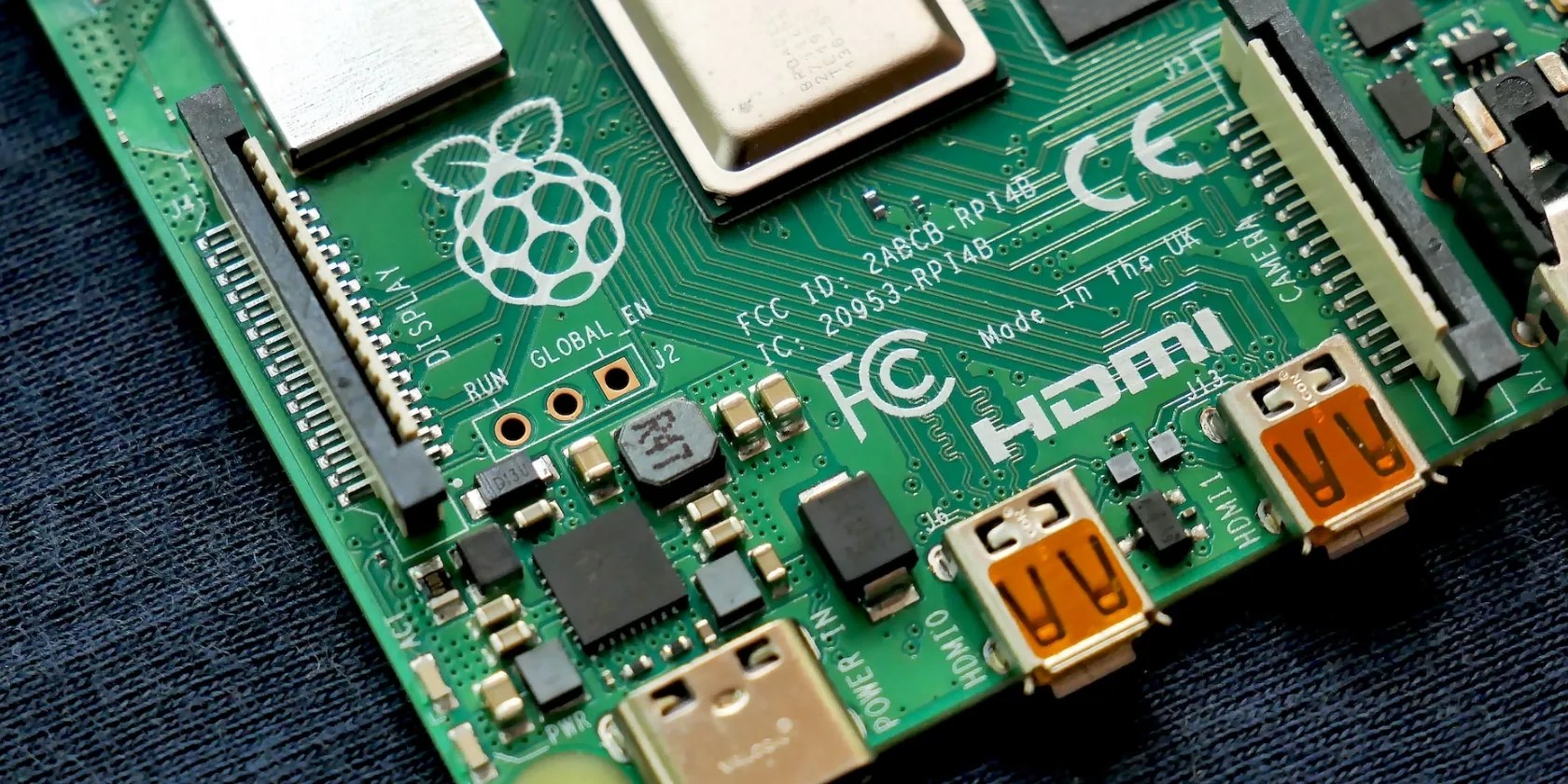
This provides a great alternative to products like Google’s Chromecast. You can build your device to have practically identical features, and even expand on the features of popular devices on the market. You just need to find some content for your streaming device to get started. It’s well worth doing some research to find thebest Raspberry Pi media server solutionfor you.
6. Raspberry Pi 4 Model B Desktop Computer
Power and performance have come up a lot on this list, as this is one of the key features of the Raspberry Pi 4. These tiny SBCs have enough power under the hood to run full-fat operating systems, like Linux and Windows, while also featuring much of the regular connectivity found on a desktop PC.
It would be a mistake to say that older Raspberry Pi models can’t also work as desktop PCs, but the experience won’t be anywhere near as close to a full-size PC as it is with the RPi 4. In fact, Raspberry Pi Ltd itself sellsthe RPi 4-based Raspberry Pi 400as its first and only full-size computer product, featuring an integrated keyboard.
You can turn your Raspberry Pi 4 into a desktop computer with a monitor, keyboard, and mouse, but you could also 3D print or buy a case for your board to keep it safe. Of course, though, you will have to install your own OS and software before you get started.
Getting the Most From Your Raspberry Pi 4
Raspberry Pi SBCs have been growing in popularity over the last few years. This has enabled them to grow in performance, and the Raspberry Pi 4 Model B offers more than any of its predecessors, making it a powerful and versatile computer for creating a wide range of projects.
Hopefully, the Raspberry Pi ideas we’ve covered here will spark your interest and inspire you to get started on your DIY project right away!
They may have similar specs, but there are some notable differences between the Raspberry Pi 4 and CM4 models.
You don’t need to fork out for expensive hardware to run an AI on your PC.
Lose your laptop without this feature, and you’ll wish you had turned it on.
Don’t let aging hardware force you into buying expensive upgrades.
You can’t call this offline, Notion.
ensure you don’t miss these movies and shows before Netflix removes them.
