Waveroom: Chat, Conference, and Record in High Quality From Your Browser
In this fast-paced digital age, you might be using one of the several available apps for video calling and conferencing to connect remotely with friends, family, colleagues, and mentors.
Now imagine doing it all without any third-party cloud-based apps, and in video quality that delights with its crystal-clear sharpness and detail. you may expect this and lots more from Waveroom, the new way to connect and record remotely.

What is Waveroom? How to Access It
Waveroomis the next wave in personal and corporate communications. It’s the next-gen recording studio on your browser.
Waveroom lets you conduct video chats in a snap and even creates high-quality video and audio recordings for each guest. You can get up to 4K resolution video files with clean and uncompressed audio right after each session.
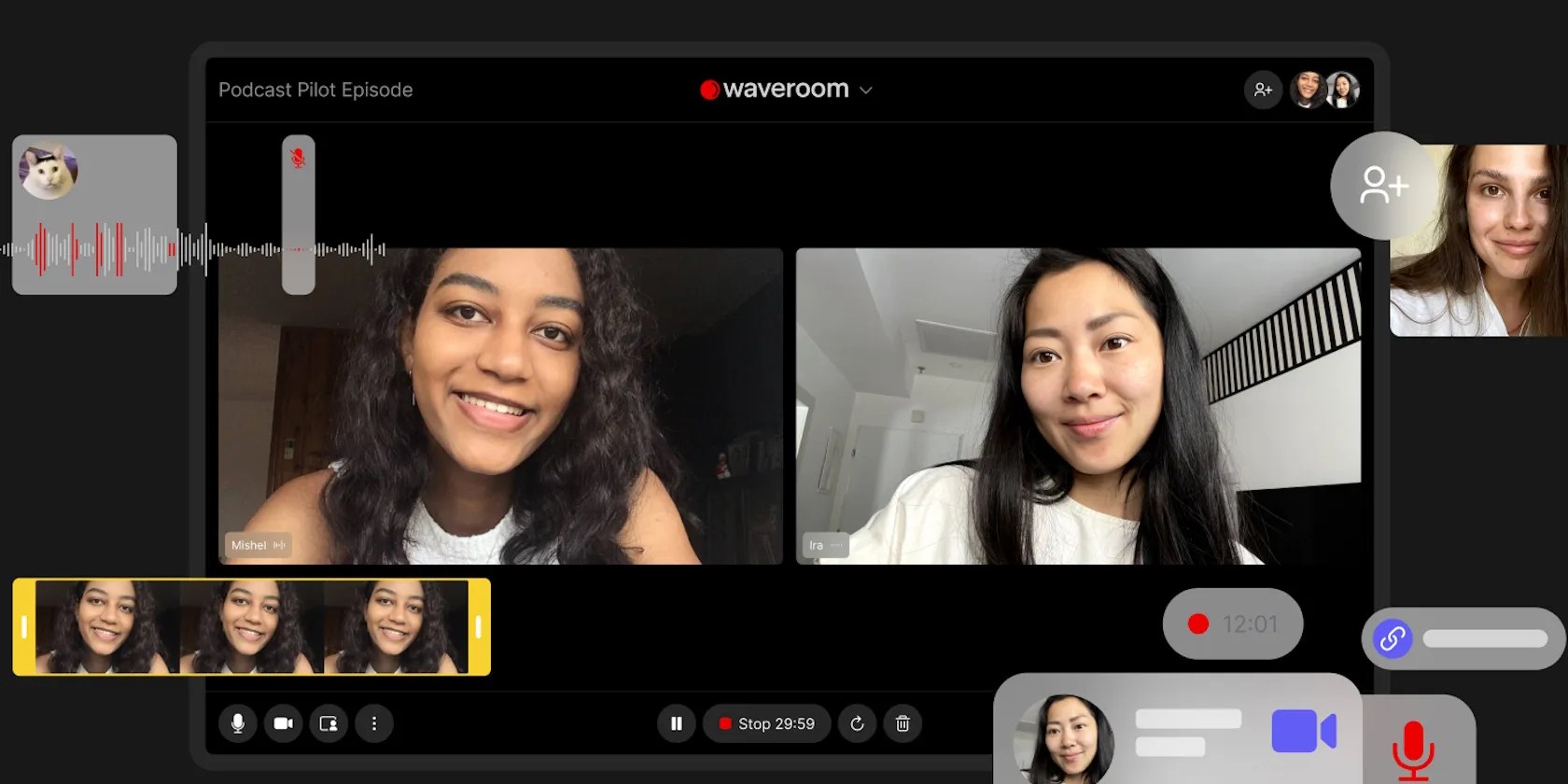
To access Waveroom, visit itswebsiteon your preferred browser and create an account. Then share the ready invitation link to your Waveroom for one-to-one or group meetings with anyone across the globe.
Also, you get the assurance ofhigh-quality recordingseven with an unstable internet connection. Thanks to Waveroom’s local recording and storage on your computer.

Waveroom vs. Cloud Recording: See the Difference
Most video conferencing platforms do not offer high-quality recordings. And those that do come at a high price.
With Waveroom, you get crystal-clear video and audio recordings of chats, podcasts, tutorials, and meetings. Even with a slow internet connection, the quality won’t get degraded.

Check out the comparison between Cloud Recording and Local Recording made with Waveroom. The difference, as you may see, is clear.
The New Communication Wave for Your Life and Business
Waveroom fits perfectly in your personal and business communications.
You can create studio-quality podcasts from home and collaborate on issues you are passionate about. Just invite guest speakers from anywhere in the world for engaging sessions.

If you’re a teacher, you could use Waveroom to reach your students to share lectures and lessons and even create educational videos in real-time.
On the office front, especially on the go, Waveroom can help you and your teams stay updated, talk face-to-face, brainstorm, and move ahead faster.
Additionally, you can use Waveroom creatively for recording customer reviews to showcase in your marketing videos and product launches.
Undoubtedly, Waveroom is the smart way to catch up, chat, plan, and make new memories you will cherish forever.
Empowering Excitement Coming Your Way in Waveroom
Gear up to take more control of your recordings. The Waveroom experience will soon get enhanced with empowering features like Simplified Editing and Noise and Gap Removal. Check the preview screenshots below:
And with mobile support on its way, Waveroom video meetings will debut soon on your phone with the same top-notch quality as on your desktop.
Create Your Waveroom Today
The Waveroom revolution has to be experienced for all the power and freedom it gives you. In its Beta version, Waveroom offers recordings of up to 1080p, but their passionate team is already working to bring you 2K and 4K resolution recordings.
Sosign up for the free trialto enjoy 120 minutes of video chats and recordings with a couple of friends. There’s a solid chance you’ll be tempted toupgrade to Waveroom Premiumto get chatting, conferencing, and recording anywhere you are, all within your browser.
This is a sponsored post. The product choices and opinions expressed in this article are from the sponsor and do not reflect the editorial direction of MakeUseOf or its staff.
Ice breakers are a great way to start a virtual meeting and get distributed teams to feel more connected. Here are some fun ice breaker questions.
Freeing up vital memory on Windows only takes a moment, and your computer will feel much faster once you’re done.
When your rival has to bail out your assistant.
I plugged random USB devices into my phone and was pleasantly surprised by how many actually worked.
It’s not super flashy, but it can help to keep your computer up and running.
I gripped my chair the entire time—and then kept thinking about it when the screen turned off.
