What Is DisplayPort UHBR? How Will It Simplify the DP Standard?
If you’re into high-definition video, you’ve probably heard of the two competing video standards—HDMI and DP.
Sign up forfree
Forgot your password?
Create an account
*Required: 8 chars, 1 capital letter, 1 number
By continuing, you agree to thePrivacy PolicyandTerms of Use.You also agree to receive our newsletters, you can opt-out any time.

Now, VESA has created the Ultra-High Bit Rate Certification (UHBR) to address this issue for DisplayPort. They’ve even finished the certification of UHBR devices from MediaTek, AMD, and Realtek. But how will UHBR simplify the DP video standard?
What Is DisplayPort UHBR?
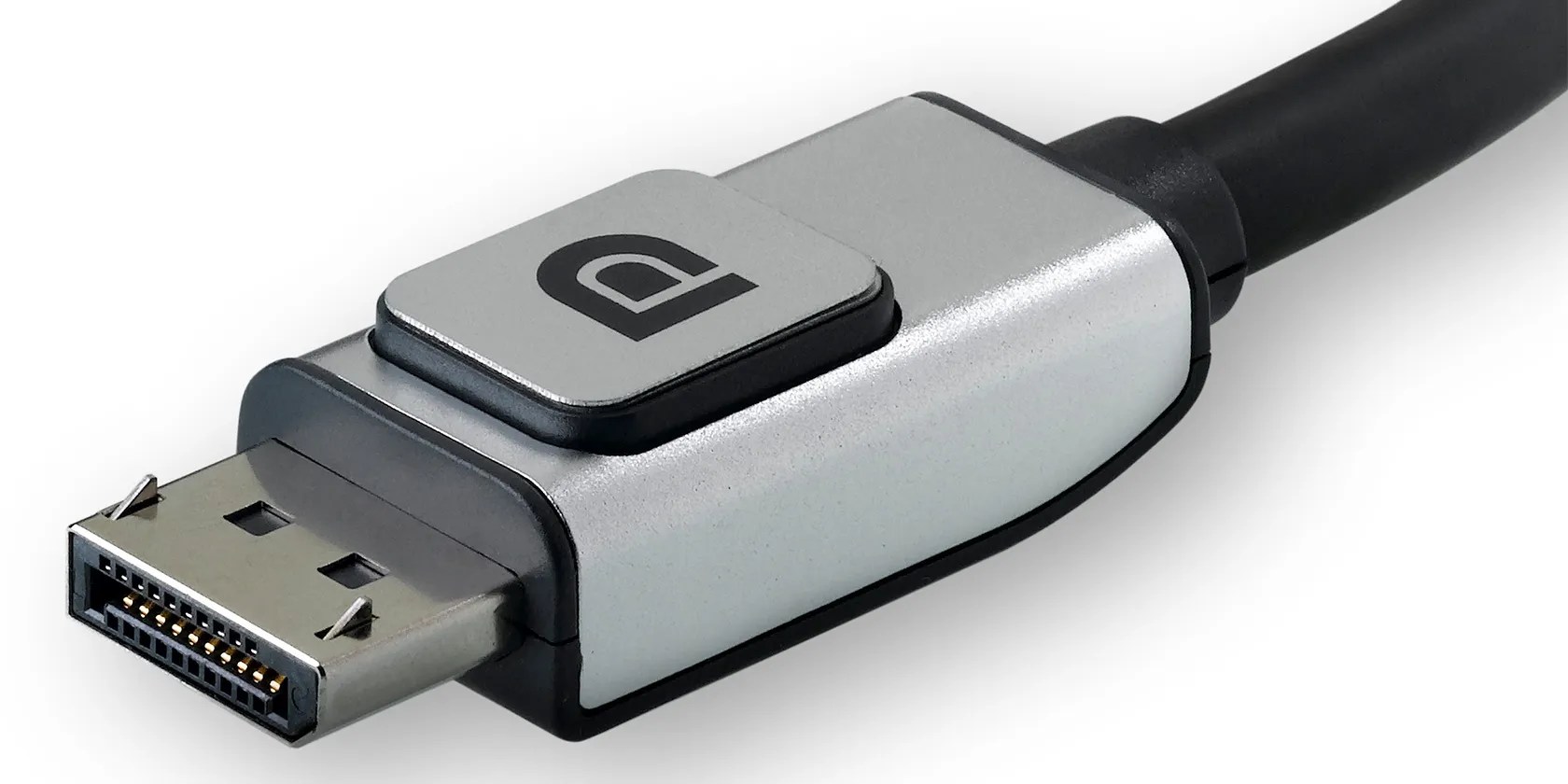
UHBR stands for Ultra-High Bit Rate. This standard allows consumers to differentiateDisplayPort 2.0, launched in 2019, from older DisplayPort standards. But even if you’re holding a DisplayPort 2.0 cable or port, there are still differing specifications within the latest standard that affects your viewing experience.
So, to help consumers choose what’s right for them, VESA created the UHBR certification. By doing so, the organization can guarantee that devices and cables will support the resolution, refresh rate, and the number of displays the manufacturer claims.

Aside from the differing specifications, VESA also saw the need for certification because of quickly advancing display technologies. As monitor manufacturers release devices with 4K, 8K, andeven 16K resolutions, your output device (like your GPU) and the corresponding cable must support the massive amounts of data transmitted between your device and display.
For example, suppose you have a single DisplayPort 1.4a port on your device matched with a DisplayPort 1.4a cable and a 4K 120Hz display. Even if both the old and new displays are using DisplayPort, if you upgraded to two daisy-chained 4K 144Hz monitors, you’d be in for a surprise because your device and cables cannot support that setup at maximum resolution.

Furthermore, a DisplayPort 2.0 port with a similar cable doesn’t guarantee you may run a 16K 60Hz display. But with UHBR certification, you’ll know what bandwidth your DisplayPort device and cable combination support at a glance.
What Are the UHBR Standards?
Three UHBR standards are currently in force—UHBR 10, UHBR 13.5, and UHBR 20. The numbers behind each certification show its maximum bandwidth per lane. So, if you have a UHBR 10-certified device or cable, it has a maximum capacity of 10 Gbit/s per lane.
Given that DisplayPort 2.0 has four lanes, UHBR 10 supports up to 40 Gbit/s bandwidth. That means UHBR 13.5 can deliver 54 Gbit/s of data, and UHBR 20 has a massive 80 Gbit/s bandwidth.

These standards allow users to enjoy the latest display technology without worrying about incompatible ports and cables. According to theVESA press release, a single UHBR-certified cable can support the following resolutions:
According to James Choate, VESA’s compliance program manager:
The ultra-high bit rates supported with the DisplayPort 2.0 specification bring a whole new level of display performance and experience to the consumer. By establishing the UHBR Certification Program, we hope to speed adoption of higher-performance video and display products across the ecosystem.
How the UHBR Standard Simplifies Consumer Choice
One of the biggest confusions consumers face is cable selection. While many high-resolution and fast refresh rate monitors come with a cable, it’s usually just one—either an HDMI or DisplayPort cable that supports its maximum resolution and frame rate.
If the monitor you bought already comes with a DisplayPort cable, you’re good to go. But what if it only comes with an HDMI cable and your device has a DP port? Or maybe you need a longer cable for your 16K monitor? You might also face a situation where you need a miniDP to DisplayPort cable because your device doesn’t have a full-sized DP port.
Whatever the case, you can’t simply head into a store or search on Amazon for a DisplayPort 2.0 cable. You must know your monitor’s bandwidth requirements before going out, and then you must also double-check the cable’s specifications written in the fine print before making a purchase.
But because of the UHBR certification, you don’t need to know all that. You simply must look for the following mark: DP40 or DP80. You’ll find these stickers near the connector ends of DisplayPort cables, allowing you to confirm its total bandwidth with a glance.
DP40 UHBR cables support a maximum throughput of 40 Gbps, allowing it to support UHBR 10 certified devices. DP80, on the other hand, supports up to 80 Gbps. This cable is designed for the UHBR 20 standard, although you can also use it with UHBR 13.5 certified devices.
With these two certifications, VESA takes out the guesswork in selecting cables. For example, if you have a 4K 120Hz screen, the DP40 cable should suffice for your needs. But if you’re into 8K 60Hz monitors, you must use a DP80 cable.
The UHBR certification also allows you to check the maximum resolution your device can output. Suppose you have a GPU that can output at 8K 120Hz. If it’s not UHBR 20 certified, it’s not guaranteed it can support more than a 30Hz refresh rate. That means, even if you buy an 8K 120Hz monitor, you can’t maximize its performance because your device’s DisplayPort does not have the required bandwidth.
But if your device is UHBR certified, you only need to look at its box, check the manual, or look at the manufacturer’s website to know the highest resolution and refresh rate monitor you can pair with it. You no longer have to blindly purchase the monitor you want and hope it works, or call customer service and wait for an answer.
The Next High-Definition Standard in Your Home and Office
Many say this move by VESA to implement the UHBR standard is its response to the controversy and confusion brought by HDMI 2.1. When the HDMI Forum retired HDMI 2.0, the succeeding HDMI 2.1 standard brought all previous HDMI standards as its subset. Even if a cable is labeled as HDMI 2.1, it’s not guaranteed to support the latest resolutions and refresh rates.
VESA avoided this by ensuring that consumers would know the data bandwidth of specific DisplayPort connectors, ports, and cables. So, when you’re buying a new high-end display, a powerful GPU, or a longer DisplayPort cable, you’re 100% sure it’ll work with your current gear.
They’re the two most commonly used video ports worldwide. But which one is best?
Your phone’s camera app doesn’t show this, so it’s easy to miss.
Don’t let someone else take over your phone number.
These are the best free movies I found on Tubi, but there are heaps more for you to search through.
Tor spoiled me forever.
The fix was buried in one tiny toggle.
